Tutorial 3 of 6
Organising the page tree by mouse, touch and keyboard
Beginner 5 min
Reorder pages and make them children of other pages by dragging, with the keyboard or with Alt and the arrow keys, and move or copy pages to other spaces.
The page tree on the left is the table of contents of a space. Its order is the order readers see in {{children}} lists and in exports, so it is worth keeping tidy.
Drag and drop
Every page in the tree has a grip (six dots) on its right. Drag a page by its grip:
- drop it on the upper or lower edge of another page to place it before or after that page
- drop it on the middle of a page to make it a child of that page
A line or a frame shows where the page will land. Child pages always move with their parent. A page cannot be dropped into one of its own children. On a touch screen, drag the grip with your finger.
With the keyboard
Tab into the tree and choose a page with the arrow keys. Then press Space to pick it up:
- Arrow up / down move it before the previous or after the next page
- Arrow right makes it a child of the page above it
- Arrow left moves it out one level
- Space drops it, Escape puts it back where it was
After every step Wikinest tells you the new place, for example “Runbook: worker is now position 1 of 2 under Runbooks”. Screen readers announce it too.
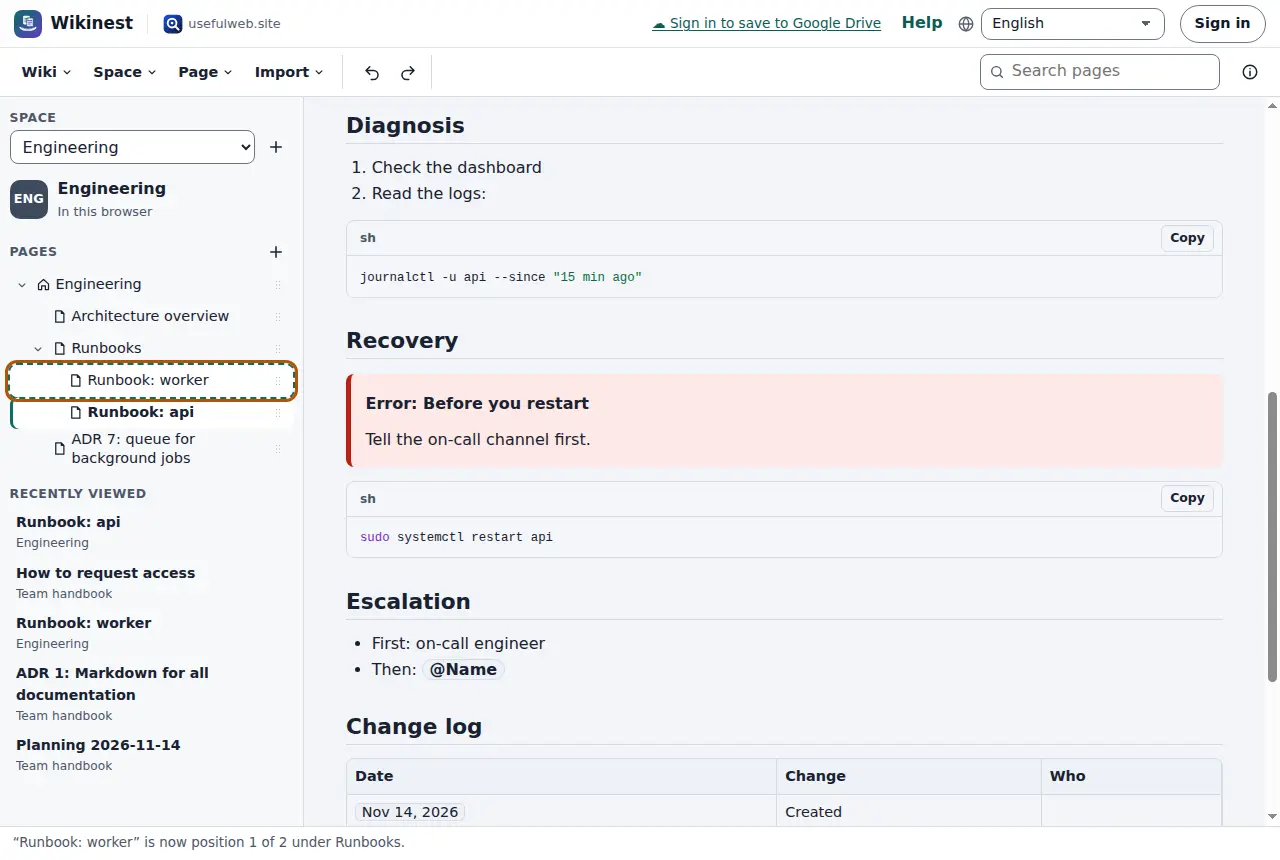
If you prefer shortcuts, Alt+arrow keys move the focused page in one step without picking it up. In right-to-left languages, left and right are swapped, so “in” always points into the tree.
Move or copy to another place
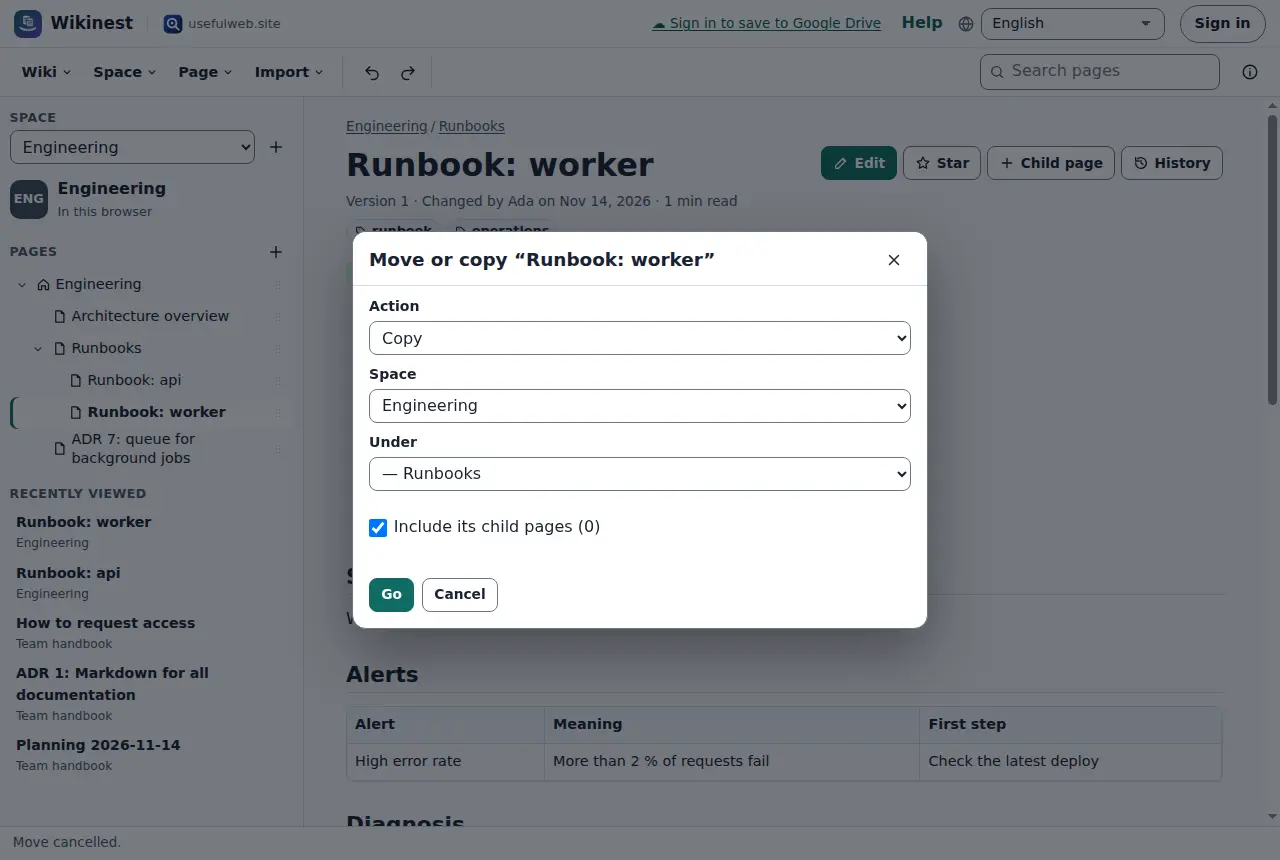
Page → Move or copy… moves or copies the open page to any parent, also in another space. Choose:
- Action: move or copy
- Space: the target space
- Under: the new parent, or the top level of the space
- Include its child pages: whether the whole branch comes along
A copy in the same space gets “Copy of” in front of its title. Copies get new versions and lose the comments of the original. Images are copied with them.
Delete pages
Page → Delete page… deletes a page and all its children after asking. In a space in this browser, Undo brings them back until you close the tab. In a shared workspace, deleted pages go to the workspace trash for 30 days, and workspace admins can restore them.
Who may change the tree
In a space in this browser, you can. In a shared space, editors and space admins can reorder pages. Readers and commenters see the tree but cannot drag. If you try, Wikinest tells you why.
Ready to try it?