Tutorial 4 of 6
Versions, comments, labels and favourites
Intermediate 7 min
Compare any two versions of a page word by word, restore an older one, leave inline and page comments, tag pages with labels and find them again.
Every Publish creates a new version of a page. Nothing gets lost: you can compare versions, restore an old one and see who changed what.
Compare versions
Choose History next to the page title (or Page → Versions and changes…). The dialog compares two versions side by side. The older one is on the left and the newer one on the right, and the changed words are highlighted. Long unchanged stretches fold into “… unchanged lines …” so the changes stay in view. Above the table, a summary counts the added, removed and changed lines and words.
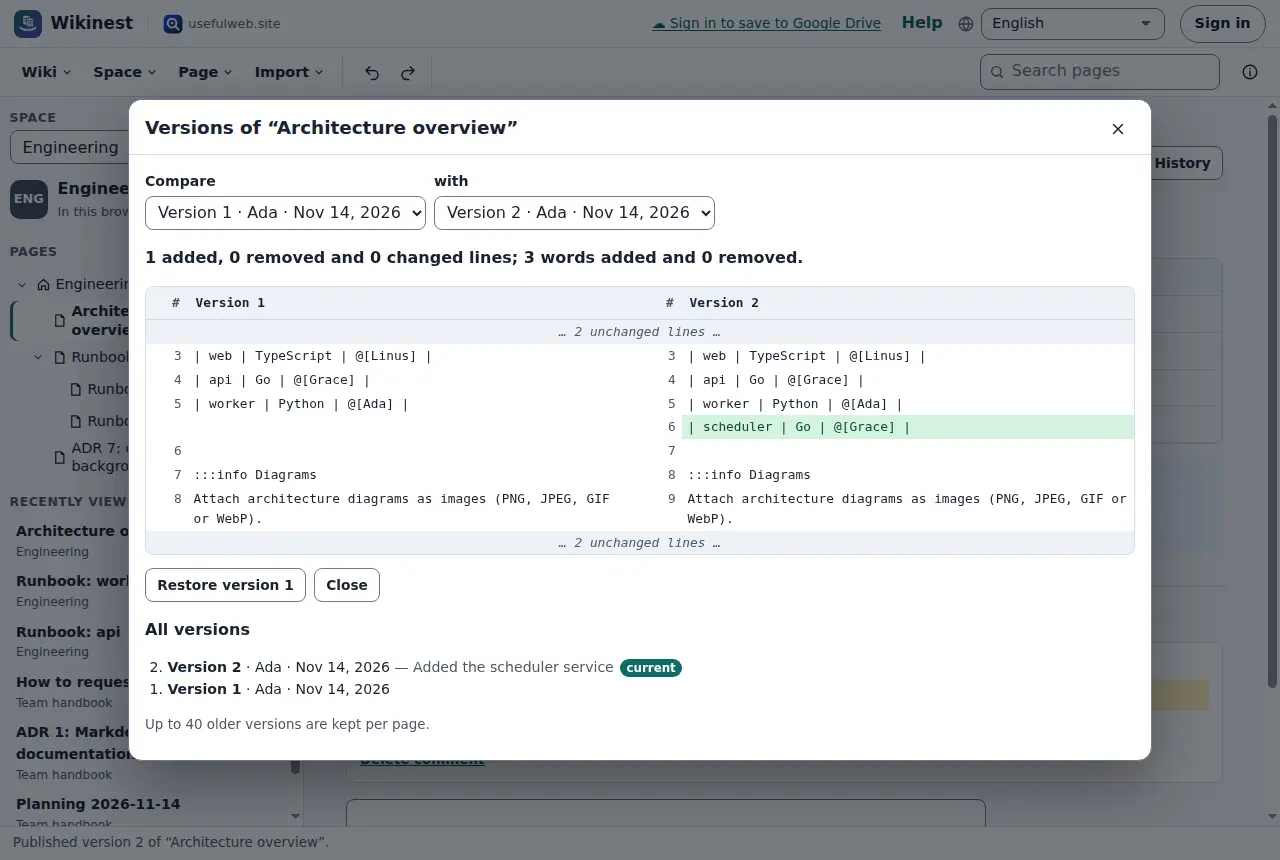
Below the comparison is the list of all versions with their author, date and the note written when publishing. Up to 40 older versions are kept per page.
Restore an older version
Pick the old version in one of the two lists and choose Restore version …. Its text becomes a new version, so the version you replaced stays in the history too, and you can go back again.
Comments
At the end of every page there is a Comments section. Write a comment and choose Add comment. To comment on a particular sentence, select the words on the page, then choose Comment in the small button that appears (or Page → Comment on selected text). The words are highlighted on the page with a numbered button, and the comment in the list quotes them. The numbered button jumps to the comment.
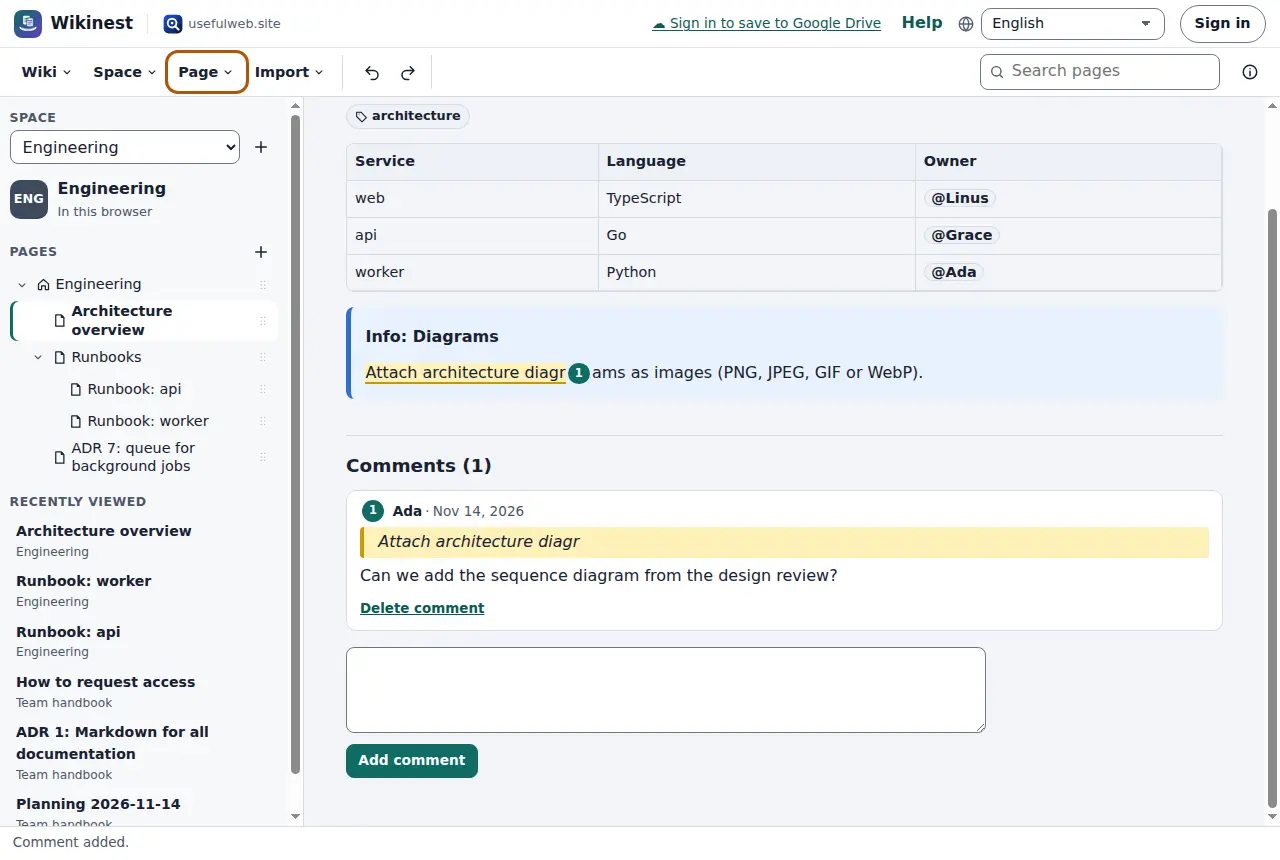
You can delete your own comments, and space admins can delete any comment. In a space in this browser, comments are saved with the page. In a shared workspace they go through the workspace's comment system, so teammates see them at once, and people with the Commenter role can comment without being able to edit.
When you edit the text later, the highlight stays as long as the quoted words are still on the page. If they are gone, the comment stays in the list with its quote, without a highlight.
Labels
Labels group pages across the tree, for example runbook, decision or how-to. Add them in the editor's label field, separated by commas. Labels are lower case and use hyphens instead of spaces. Select a label on a page to search for all pages with it. In the search box, label:runbook does the same.
Favourites and recently viewed
Star marks a page as a favourite. Favourites and the pages you opened last are listed below the tree, also across spaces. Page → Page information… shows the number of words, the reading time, the contributors and the pages that link here. It also shows how often you opened the page and for how long. Those numbers are counted only in this browser: Wikinest does not track readers.
Ready to try it?