Tutorial 5 of 6
Shared spaces and permissions for your team
Intermediate 8 min
Put a space into a workspace, invite people, give them space roles from admin to reader, and see what happens when two people edit the same page.
On its own, Wikinest keeps your wiki in this browser. To write together, sign in and put spaces into a workspace. A workspace is a shared place for a team that also holds boards, issues and other documents of usefulweb apps. Signing in uses a passkey or a Google account.
Create a shared space
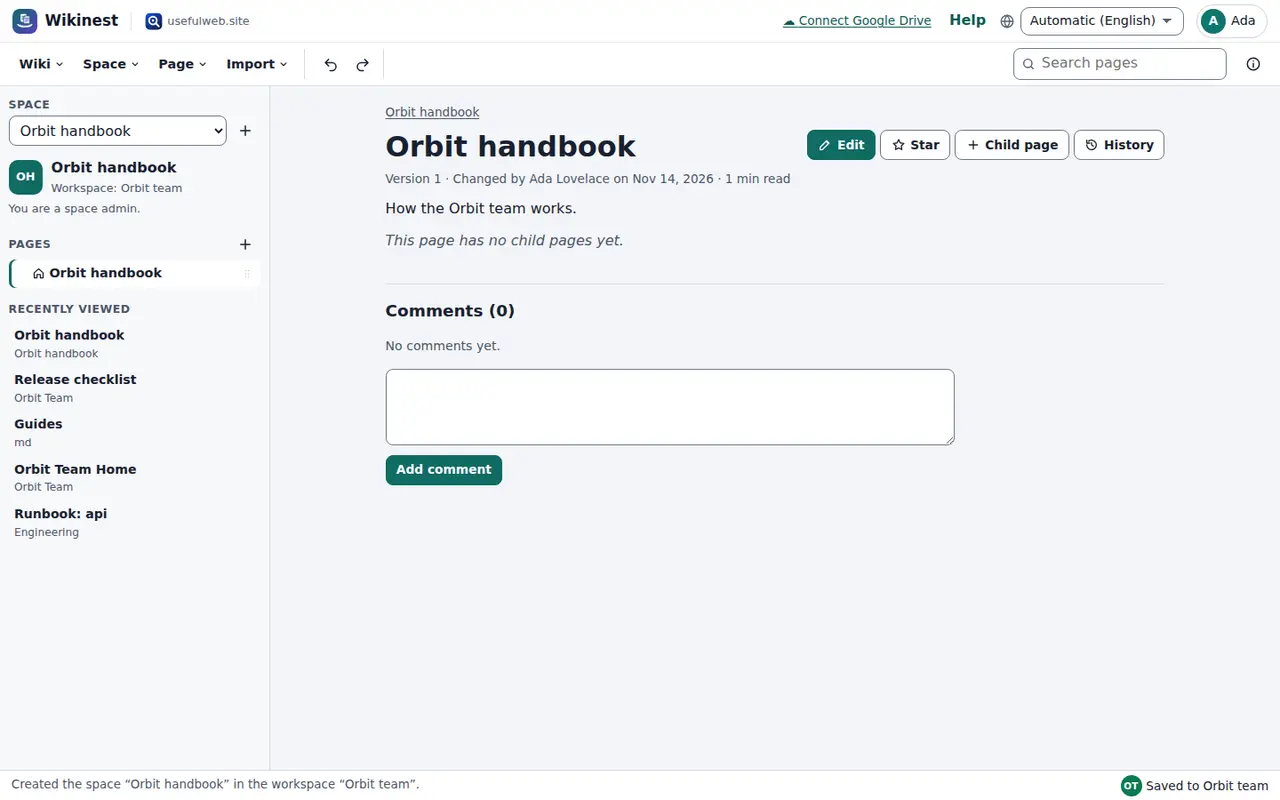
Choose Space → New space… and set Where to one of your workspaces. The space is created there and opens straight away. The sidebar shows the workspace name, and a line below it says what you may do, for example “You are a space admin.”
A space you already have in this browser can be copied into a workspace with Space → Share this space in a workspace…. All pages and images are copied, and your copy in this browser stays as it was. Spaces of your workspaces are listed in the space picker and under Space → Open a workspace space…, which also has a button to invite people.
Space roles
Everyone in a workspace has a workspace role: owner, admin, member, viewer or guest. Space → Space permissions… decides what these people may do in this space:
- Space admin: everything, including permissions and deleting any page
- Editor: write, move and create pages, and comment
- Commenter: read and comment
- Reader: read only
- No access: the space and its pages are hidden
At the top you set defaults per workspace role: by default members are editors, viewers are readers and guests have no access. Below that you can give single people their own role. The Result column shows what each person ends up with. Workspace owners and admins can always manage every space.
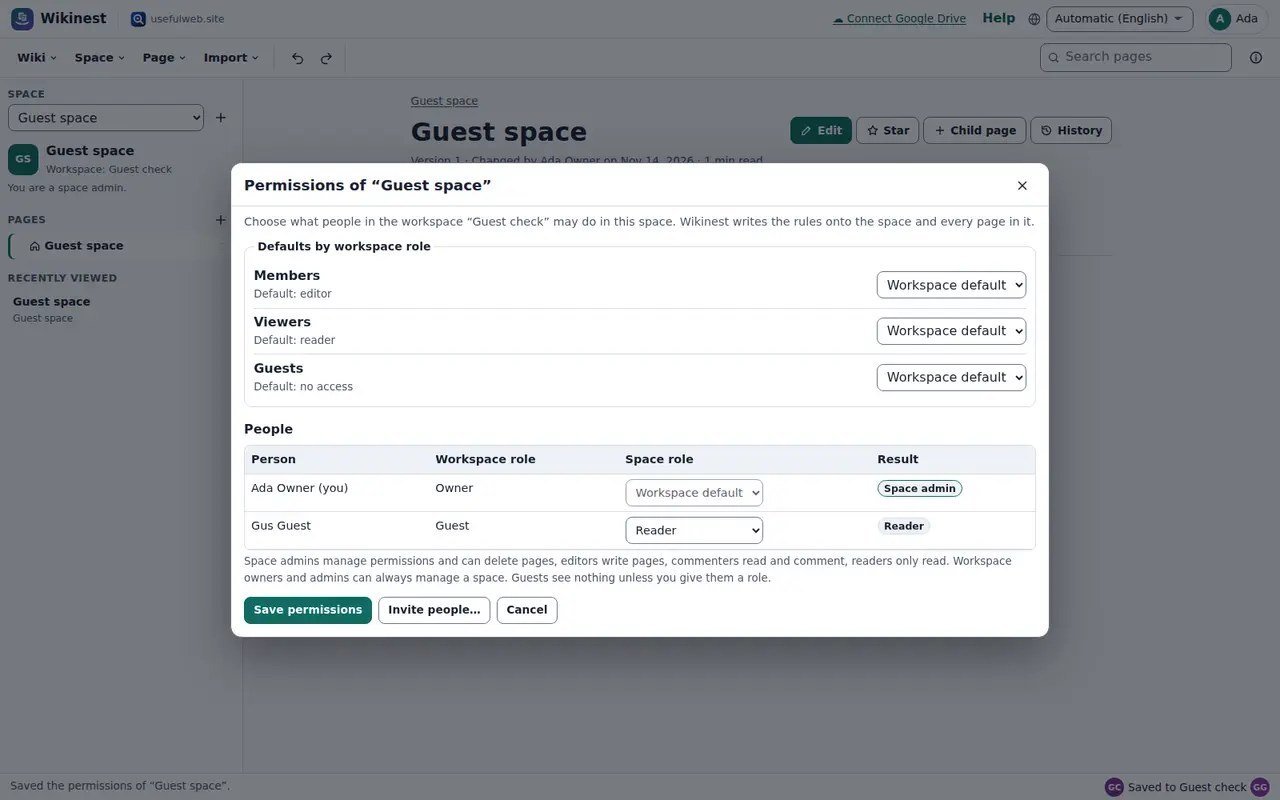
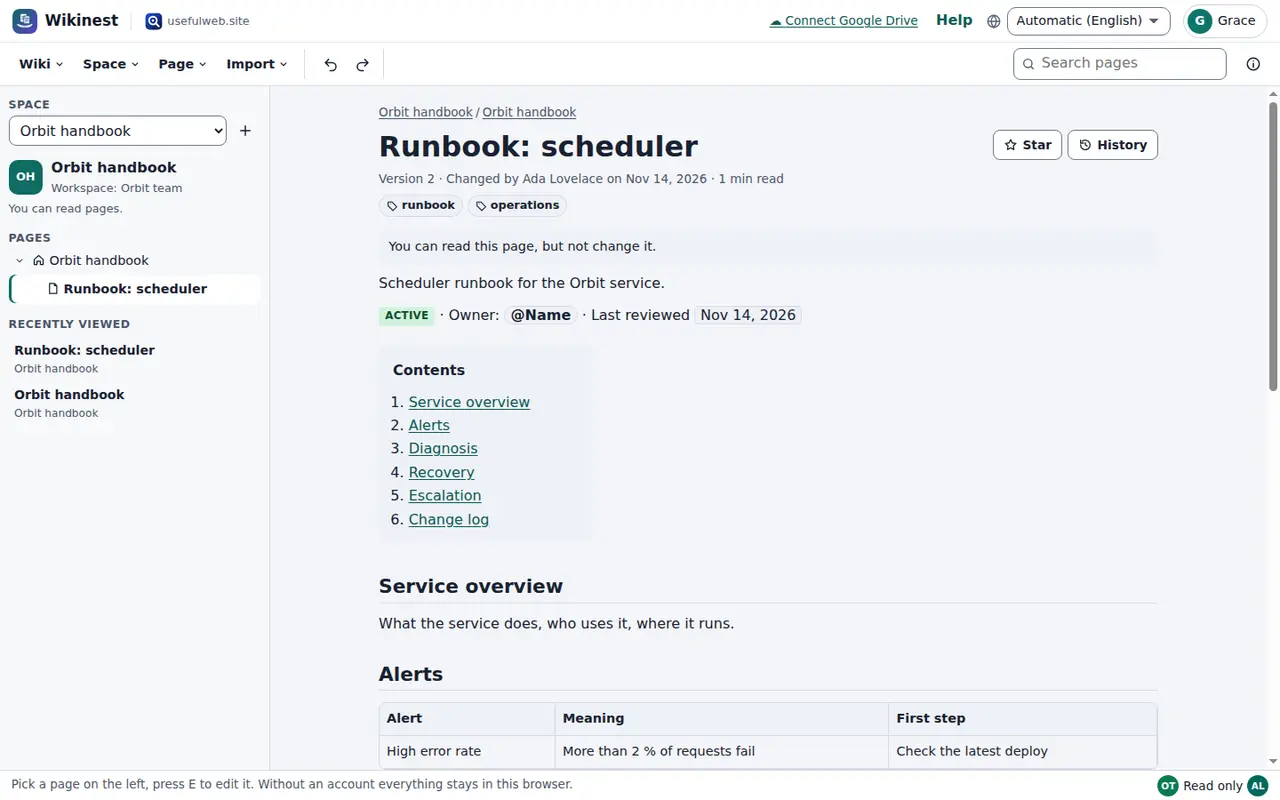
When you save, Wikinest writes the rules onto the space and every page in it, and new pages get them too. The server checks them on every request, so a reader really cannot change a page, even outside the app. People see the change at once: if you turn someone from reader into commenter, the comment box appears on their screen without reloading.
Writing at the same time
Each page of a shared space is its own document. Two people can work on different pages without getting in each other's way. The avatars at the bottom right show who is in the space right now.
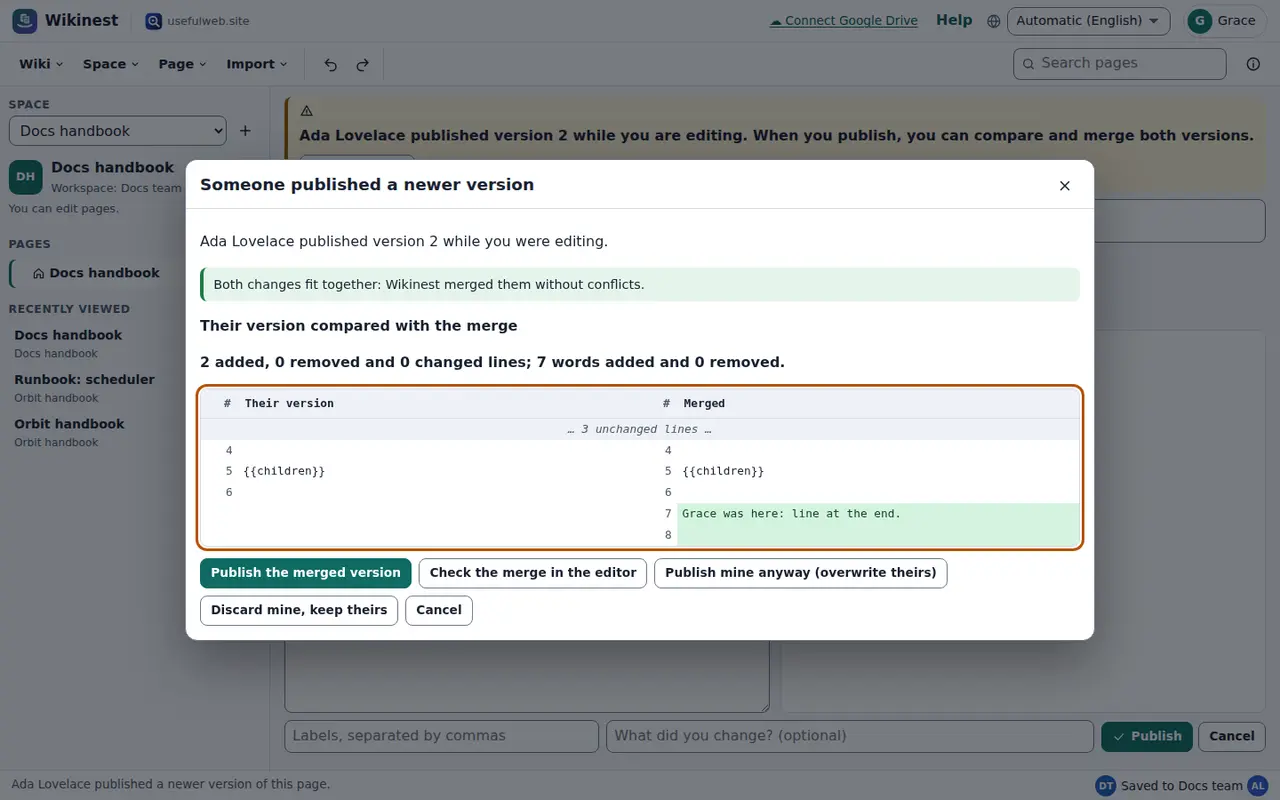
If someone publishes a page while you are editing it, a note appears above your editor with a Compare now button. When you publish, Wikinest compares your draft and their version with the version you both started from:
- If you changed different parts, both changes are merged automatically. You can publish the merged version or check it in the editor first.
- If you both changed the same lines, the editor shows both variants between conflict markers (
<<<<<<<,=======,>>>>>>>). Keep the right lines, delete the markers and publish.
You can also publish yours anyway, which overwrites theirs, or discard yours. Every version stays in the history either way.
Search and links
The search box looks through the spaces in this browser and the workspace spaces you may read, with full-text search on the server. To send a teammate to a page, copy the address from the browser, or use the workspace link shown in Page → Share a read-only link…. It only opens for people who are allowed to read the page.
Ready to try it?